
📄 Markdown and Typst replaced my word processor
For years, I have written most documents that end up as a PDF (proposals, contracts, datasheets, essays, etc.) in LibreOffice Writer (Microsoft Word is the more common choice). This has worked well enough, and support for variables allows a little templating. Recently, I have been experimenting with Markdown and Typst, and the results have been better than I expected. Typst is a new tool that can generate professional-looking documents from a relatively simple markup language (think LaTeX, but much easier). Claude can quickly generate a Typst template for almost any type of document, plus a script that generates the PDF from input data in Markdown, YAML, CSV, etc.
How it works
- Write the content in Markdown. It lives in Git next to my other notes, diffs cleanly, and is easy to edit in any editor or with an AI assistant.
- Write a Typst template once for each kind of document. The template owns the page layout, fonts, letterhead, headers, and footers.
- Render the Markdown inside the template with the cmarker package. There is no Pandoc step.
The content and the presentation stay separate. I think about what to say in the Markdown and only think about how it looks when I change the template.
Example: a prototype build quote
When a customer needs a batch of prototypes built, each build gets a directory:
sales/2026-10-06_harborview-hx200-build/
  README.md     rough notes: parts quotes, PCB costs, labor hours, shipping
  build.yaml    deliverables, work included, terms, and itemized costs
The README is where I jot down numbers as they come in. Claude turns those notes into build.yaml, which has two parts:
- Customer-facing: title, client, date, a short Markdown intro, the deliverables, what is included, lead time, and payment terms.
- Internal: every cost line (components, PCBs, technician and engineering hours at their rates, shipping) plus a profit factor.
The template reads the file with Typst’s built-in yaml() function, adds up the costs, applies the profit factor, and rounds the unit price so that unit price times quantity equals the total exactly. A mode input selects the output, so one file produces two PDFs:
typst compile --root . --input dir=sales/<build> --input mode=quote \
  sales/typst/build-quote.typ quote.pdf
typst compile --root . --input dir=sales/<build> --input mode=costs \
  sales/typst/build-quote.typ costs.pdf
The customer quote shows the deliverables, the work included, and only the unit and total price. The internal cost sheet itemizes every cost and shows the margin. Because both come from the same numbers, they always agree. A small script runs both commands and names each PDF after the date in the YAML, so a revised quote produces a new file and the version already sent stays intact.
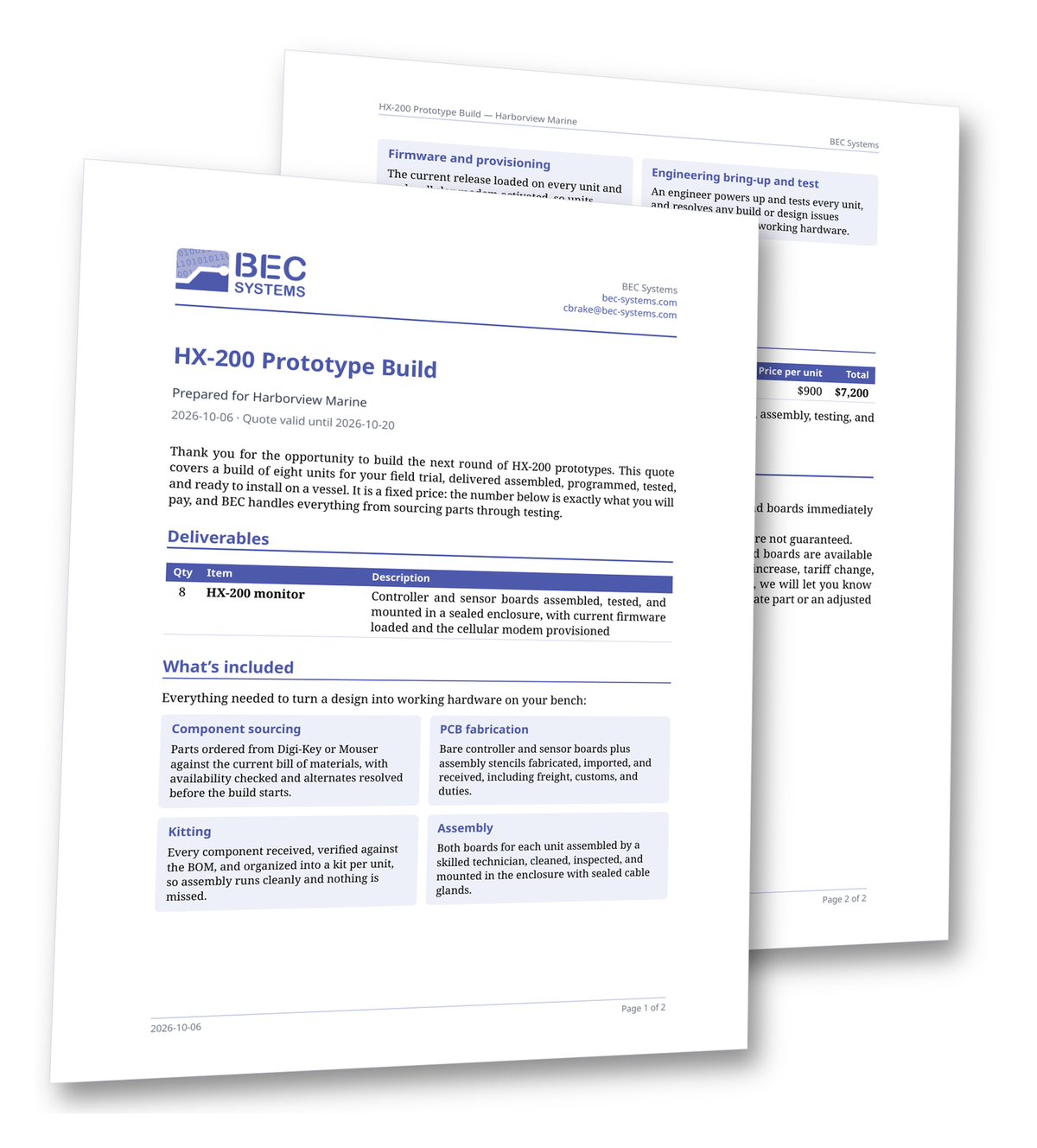
The whole template is about 320 lines. Project proposals use the same approach, with the cover letter and proposal written in Markdown.
Details that have worked well
- Parameters.
--inputpasses values into the template (sys.inputs), so one template serves many documents. My essay template takescolumns,font, andauthorthis way. - Option checkboxes. The template turns
- [ ]list items into ☐, which suits the “select an option” block at the end of a proposal. - An escape hatch. When Markdown is not enough, as with signature lines, cmarker passes raw Typst through
<!--raw-typst ... -->comments. - Live preview.
typst watchwith a PDF viewer updates the document on every save.
While this may seem a little complicated, Claude handles the hard parts. I view the result and tell it what I want.
Why does it work so well?
Claude (and likely most other AI tools) is good at creating nice-looking web pages, and it is just as good at creating document templates. The results have consistently surprised me. Part of the reason may be the markup language. HTML/CSS and Typst are powerful tools for expressing layout and design. They are a little daunting to humans, but LLMs seem to excel at them. Markup appears to be a good layer between an LLM and the finished page, much better than having the LLM generate a PDF directly.
Why this suits a small team
People on small teams wear many hats. We don’t have a dedicated inside salesperson hand-polishing proposals; Claude now handles much of that work for me. Once we get something we like, we want to repeat it easily. Plain text in Git means history, review, and reuse come for free. A template means every document comes out consistent, no matter who wrote it. And because the source is plain text, an AI assistant can draft and revise the content while the template keeps the output looking right. Typst takes most of the friction out of producing professional documents.