🔐 Simple secret management for small teams
Small teams need to keep secrets out of Git and out of plain-text files, but they rarely have the time to run secrets infrastructure. This article describes a practical way to manage secrets with reasonable security and low friction.
Let’s start with a few requirements/assumptions:
- No infrastructure to stand up or maintain.
- Compatible with deployment workflows like Ansible or GitHub Actions.
- Passwords and passphrases are always encrypted at rest.
- Usable by multiple people.
- Don’t have to continually type in passphrases during development.
- All members of the team can access everything (we don’t need roles, etc.; this is a small team).
- Prefer not to be dependent on a third-party service, like 1Password.
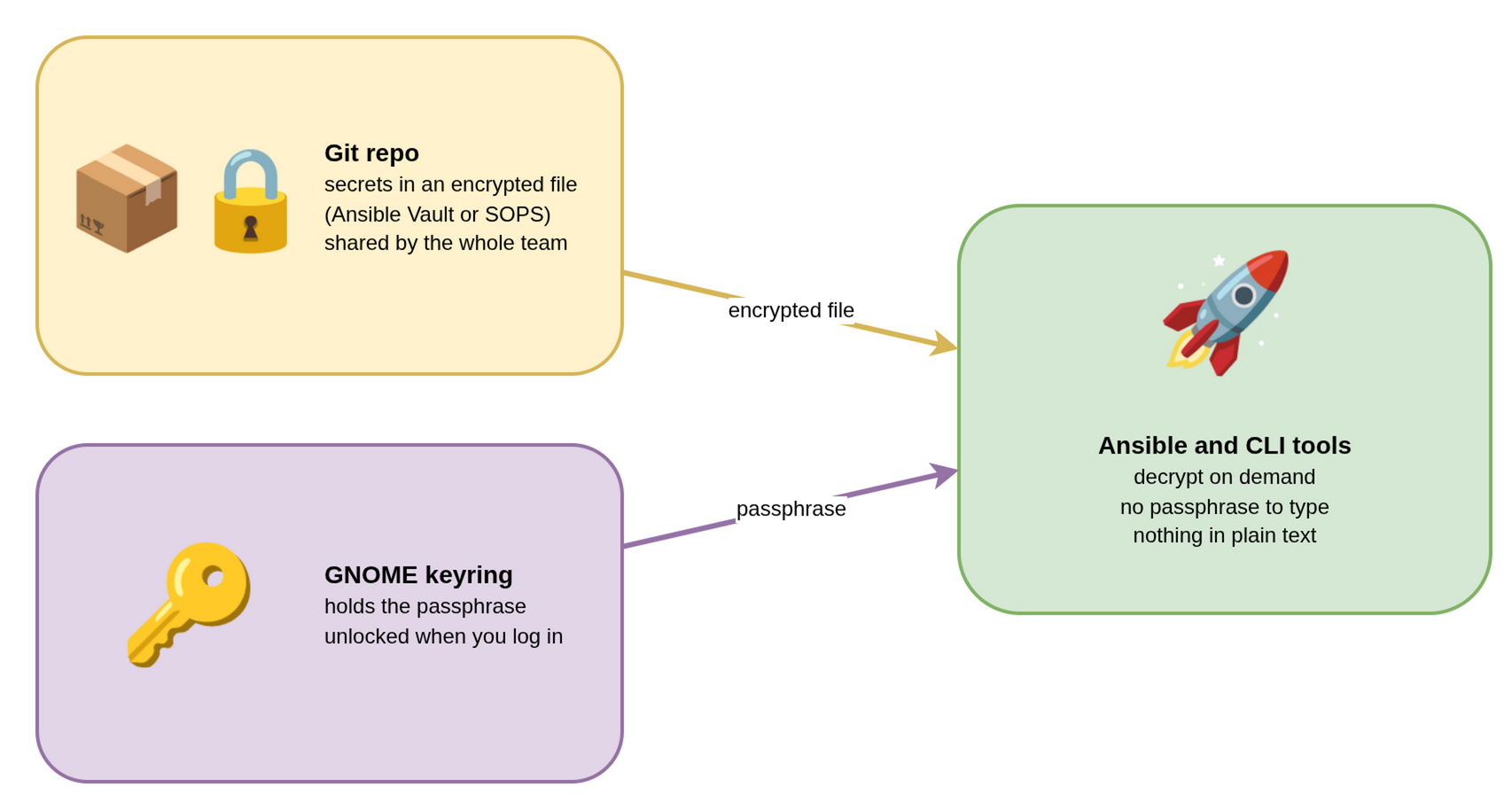
Since I use Ansible for many of my deployments, Ansible Vault is convenient, and you can check the secrets into Git. SOPS is similar and works pretty well. So this is very basic: an encrypted file in Git that everyone can access. The remaining question is how to cache the passphrase during development without storing it in plain text on disk or in your environment.
Enter GNOME secret-tool. It stores secrets in the GNOME keyring, which is encrypted on disk and unlocked when you log in. Each secret is identified by a few attribute/value pairs you choose.
Store the vault passphrase once:
secret-tool store --label="Ansible vault" service ansible-vault project ops
Ansible accepts an executable as the vault password file and uses whatever it prints, so a two-line script connects the two:
#!/bin/sh
# vault-pass.sh
exec secret-tool lookup service ansible-vault project ops
chmod +x vault-pass.sh
ansible-playbook --vault-password-file=./vault-pass.sh -i production all.yml
ansible-vault edit --vault-password-file=./vault-pass.sh vault.yml
Set vault_password_file = ./vault-pass.sh in ansible.cfg, and the flag goes
away too. The passphrase is never written to disk in plain text, and you don’t
type it again until the next login.
The same pattern works for any tool that reads a secret from an environment variable. A small wrapper looks up the key and injects it only for that command:
#!/bin/sh
export WORKFLOWY_API_KEY="$(secret-tool lookup service workflowy)"
exec workflowy-cli "$@"
This workflow provides a simple way for small teams to manage secrets: commit
them to Git in an encrypted file with Ansible Vault or SOPS, and keep the
passphrase in the GNOME keyring so you never type it during development. The
same pattern lets a small wrapper inject API keys into any command-line tool
without writing them to disk. secret-tool strikes a good balance between
reasonable security and low-friction.